Retroloop USA
M-VAVE Chocolate Plus Wireless MIDI Foot Controller 4 Buttons BT Rechargeable, APP Control
Couldn't load pickup availability
Wireless MIDI Foot Controller 4 Buttons BT Rechargeable, APP Control
Please watch the video carefully upon receiving the product. If you have any questions, via amazon to reach out seller.
Multi-mode Plug & Play:
1.Built-in USB HOST: plug-and-play, no adapters, direct effector connection (Pocket Master, GP5). 2.BT, 3.5mm TRS MIDI & USB triple connectivity.
CubeSuite Customization:
1.Windows/Mac/iOS/Android, visualized interface. 2.Import/export presets for quick adaptation.
All trademarks and copyrights are property of their respective owners
-
How to use Chocolate plus to control the GP5 effectors
- Set Chocolate Plus to H (USB HOST) → Connect to GP5 via USB → Power the Chocolate Plus.(Note: 9V port power from GP5 = loss of control.)
- CubeSuite: Assign footswitches to PC/CC signals for GP5 presets.
-
How to use Chocolate plus to control the Pocket Master effectors
Wired Connection:
1.Toggle Chocolate Plus side switch to H (USB HOST). Connect its HOST port to Pocket Master’s USB port with a USB cable. 2.Use CubeSuite to set footswitches to PC/CC signals for Pocket Master preset switching/parameter control.
Wireless Connection:
1. Configure Chocolate Plus parameters via phone, disconnect BT pairing. Enable BT on Pocket Master and pair with Chocolate Plus—steady light indicates success.(Note:BT transmission range: within 1m.)
-
How to Use Chocolate Plus to Control M-VAVE Effectors
The core of controlling M-VAVE effectors with the Chocolate Plus lies in establishing a connection via USB Host direct connection or BLE MIDI wireless connection, paired with configuring MIDI commands (PC/CC) through the CubeSuite software.
-
Chocolate Plus Controls the DAW
- Power on your Chocolate Plus device and switch it to the U position. Connect it to your computer via a USB-C cable to select the mode, then pair it with the FootCtrlplus device via Bluetooth (a solid blue LED indicates a successful connection).
- Open your Digital Audio Workstation (DAW), go to the MIDI Settings option, enable the Chocolate Plus/FootCtrlplus device in the "Input Devices" section, set its type to "Generic Controller", and apply these settings.
-
Introduction to Chocolate plus's Simple Modes
The Chocolate Plus is perfectly suited for users without any musical instrument experience, such as live streamers, podcasters, video creators, and meeting hosts. Its core advantage is that it eliminates the need for complex MIDI knowledge, and via modes like Bluetooth direct connection, it meets the "hands-free" operational needs across multiple scenarios with an extremely low learning threshold.
-
Chocolate Plus Import & Export
Chocolate Plus import/export enables cross-device/scenario switching, backup and sharing, ideal for live shows, studios and device replacement.
Multiple power supply options available, ensuring hassle-free use.
CHOCOLATE PLUS supports multiple power supply methods andcan be powered directly through USB.
- Wireless Connectivity: Please watch our videos first or check our manual to learn about how to use it. You can ask questions on Amazon to reach out to us. This BT MIDI foot controller allows for wireless operation and control of music apps via BT wireless connectivity.Can be used on multiple platforms including WINDOWS, MAC, IOS, and ANDROID.Can use the foot switch to switch the preset control effect switch and other light functions.MIDI support information: PC, CC, NOTE ON/OFF, SYSEX. GP-5 ,our product is compatible and can be connected. If you have any question,please tell us.
- Compact Design: Featuring a sleek and portable design with 4 assignable buttons, this pedal is perfect for stage performances or home studio use.Step on the button to control the fast rewind, fast forward, play/pause, loop playback functions of online videos, etc.
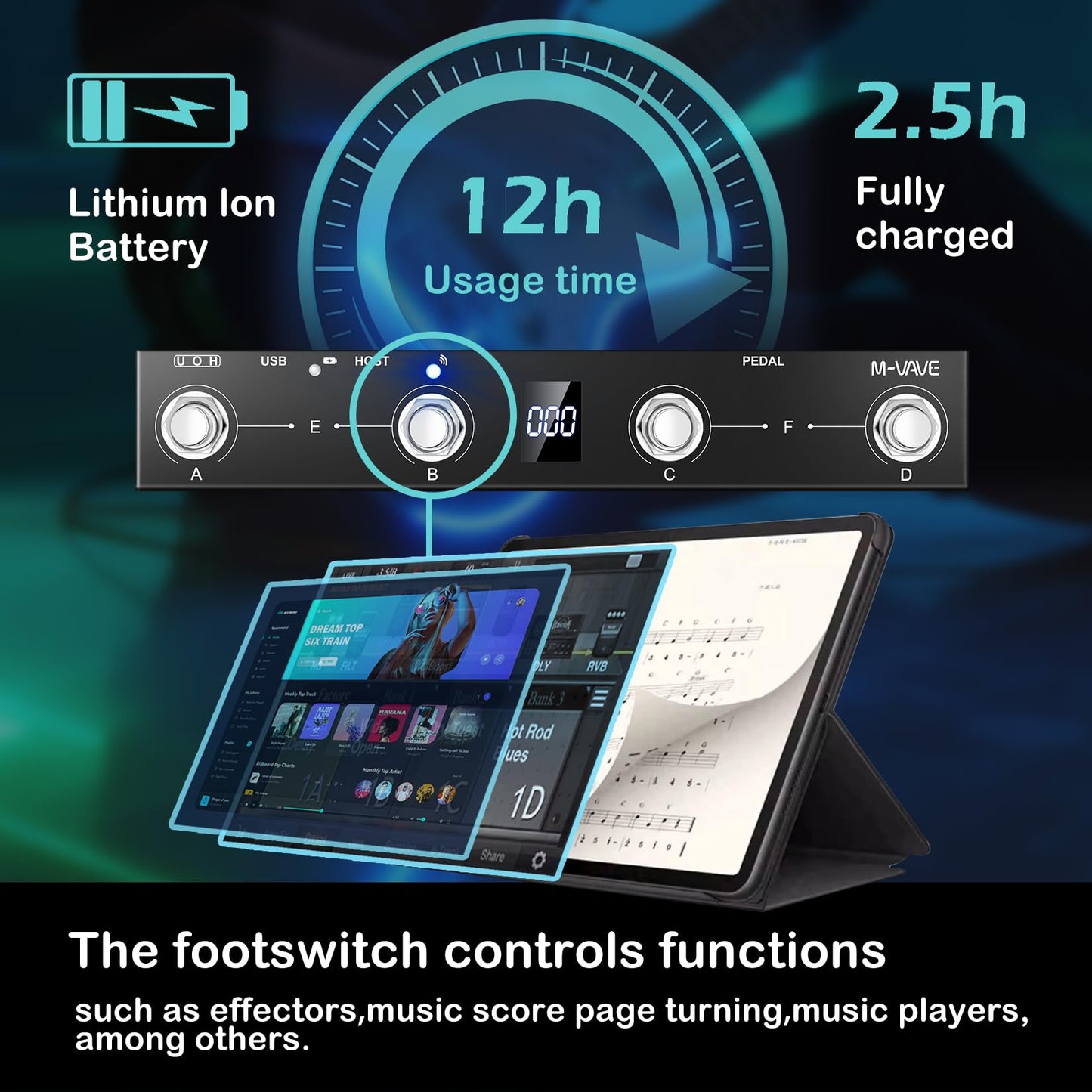
- Rechargeable Battery: Equipped with a built-in rechargeable battery, providing extended usage without the need for frequent battery replacements. Charge for 2.5 hours and can be used for 12 hours.
- APP Control: Compatible with various music apps, enabling seamless integration and control over your digital audio workstation or virtual instruments.The mobile phone APP allows you to view detailed settings and perform firmware upgrades without connecting to the network. Now you can search cubesuite in Google play store by your android mobile phone to download APP.
- Durable Construction: Constructed with high-quality materials, ensuring long-lasting durability and reliable performance.Support BLE connection to mobile phone/tablet or computer to control music scores for forward and backward page turning operations.If you have any questions about the product, please ask us and we will help you resolve it!
| Brand | M-VAVE |
| Number of Keys | 25 |
| Connectivity Technology | USB |
| Special Feature | Portable |
| Model Name | Chocolate Plus |
Share